Top 10 Benefits of Liquid Cooling for Your Computer System?
The world of computing has evolved rapidly. As technology advances, so do the methods of cooling systems. Liquid Cooling has emerged as a preferred choice among gamers and professionals alike. It offers numerous benefits that can significantly enhance a computer's performance and longevity.
Liquid Cooling operates differently from traditional air cooling. It uses a liquid medium to transfer heat away from vital components efficiently. This method not only reduces temperatures but also minimizes noise levels. Enthusiasts value the aesthetics of liquid cooling setups, often showcasing custom loops in their builds. However, it isn't flawless. Improper installation can lead to leaks, potentially damaging hardware.
Understanding the advantages of Liquid Cooling is essential for anyone looking to optimize their system. It provides superior thermal management, which is crucial for high-performance tasks. With proper care and knowledge, users can fully utilize these benefits, achieving smoother performance and increased reliability.
Benefits of Liquid Cooling Compared to Air Cooling Solutions
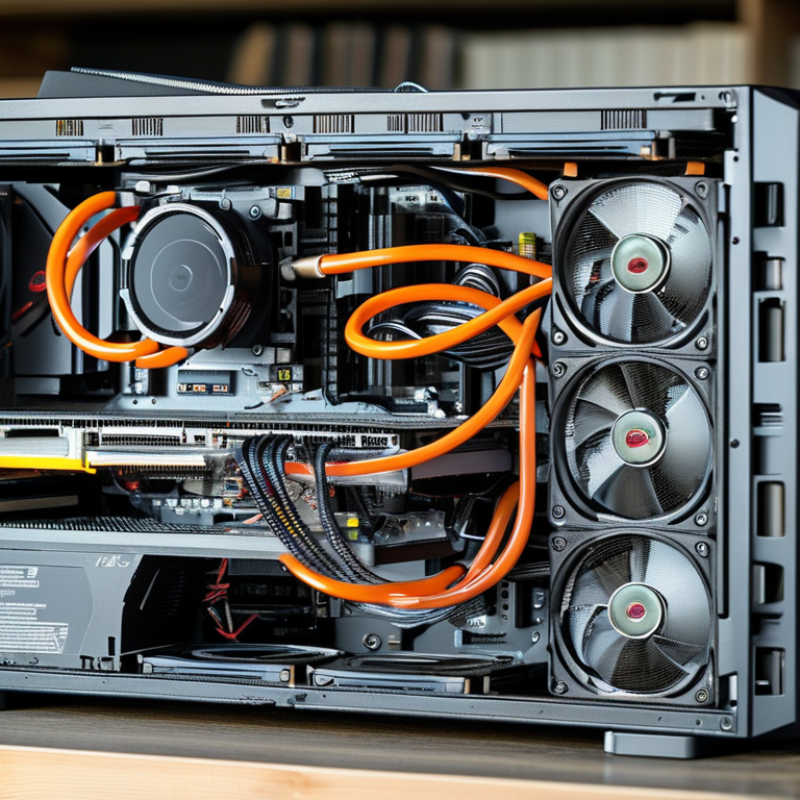
Liquid cooling solutions offer distinct advantages over traditional air cooling systems. One key benefit is their efficiency. Liquid systems transfer heat away from components more effectively than air. This means lower temperatures, which can lead to improved performance and longevity of hardware. In contrast, air cooling can be less effective in high-demand scenarios, resulting in throttling or overheating.
Another crucial aspect is noise reduction. Liquid cooling setups typically operate more quietly than air coolers. Fans in air systems often run at high speeds to manage temperature, generating more sound. Liquid solutions can use larger, slower fans or even no fans at all, leading to a quieter computing environment.
However, these systems are not without challenges. Installation can be more complex, requiring careful setup and maintenance. Leaks can occur, posing risks to components. Additionally, the upfront cost of liquid cooling can be higher. Users must weigh these factors against the benefits to decide on the best cooling method for their specific needs.
Top 10 Benefits of Liquid Cooling for Your Computer System
Improved Thermal Performance and Temperature Management
Liquid cooling has emerged as a powerful solution in managing computer system temperatures. The technology provides superior thermal performance compared to traditional air cooling. By circulating liquid through components, heat is transferred more effectively. This process diminishes hotspots and allows for better overall temperature management.
One significant advantage is the ability to maintain optimal operating conditions. High-performance systems generate excessive heat, which can lead to thermal throttling. Liquid cooling ensures that components operate within safe temperature ranges. Improved thermal management can extend the life of hardware by preventing overheating. However, the complexity of liquid cooling systems sometimes raises concerns regarding maintenance and potential leaks.
While the benefits are clear, it's essential to consider the balance between performance and reliability. A poorly maintained liquid cooling system can become a liability. Users need to assess their technical skills when considering installation and upkeep. This technology may not suit every user, making it crucial to weigh the pros and cons before deciding.
Top 10 Benefits of Liquid Cooling for Your Computer System
| Benefit |
Description |
Impact on Performance |
| Improved Thermal Performance |
Liquid cooling systems dissipate heat more efficiently than air cooling, keeping components at lower temperatures. |
Enhances overall system stability and longevity. |
| Quieter Operation |
Liquid cooling reduces the need for high-speed fans, resulting in quieter system operation. |
Improves user experience, especially in noise-sensitive environments. |
| Space Efficiency |
Liquid cooling components can be more compact than traditional air coolers, saving space in the case. |
Allows for better airflow and organization inside the computer case. |
| Higher Overclocking Potential |
Liquid cooling enables higher overclocking of CPUs and GPUs by maintaining lower temperatures under load. |
Results in better performance for gaming and intensive applications. |
| Longer Component Lifespan |
Consistent temperatures help prevent thermal stress and prolong component life. |
Fewer failures and lower replacement costs over time. |
| Enhanced Aesthetics |
Liquid cooling setups often feature RGB lighting and custom loops, adding visual appeal. |
Improves the overall look of the build, especially for gaming rigs. |
| Better Heat Distribution |
Liquid cooling facilitates even heat distribution across components. |
Minimizes hotspots, leading to stable performance. |
| Less Dust Accumulation |
Liquid coolers tend to collect less dust than air coolers that rely on fans. |
Reduces maintenance and cleaning frequency. |
| Versatility |
Liquid cooling can be used not only for CPUs and GPUs but also for other components if desired. |
Provides customizable cooling solutions tailored to specific needs. |
| Improved Energy Efficiency |
Liquid cooling can reduce the energy required for cooling compared to air systems, leading to lower power bills. |
Contributes to cost savings and lower environmental impact. |
Enhanced Overclocking Potential for Better Performance
Liquid cooling has transformed the way we think about computer performance, especially when it comes to overclocking. By efficiently managing heat, liquid cooling systems allow processors and GPUs to reach higher clock speeds. When temperatures drop, the components become more stable, and users can push the limits of their systems. This is particularly beneficial for gamers and content creators who demand top performance.
However, achieving optimal overclocking still requires careful consideration. The balance between voltage, temperature, and stability is crucial. Even with liquid cooling, small adjustments can lead to unexpected crashes or performance issues. It’s essential to monitor your system closely. Effective cooling does not eliminate the need for vigilance and fine-tuning. Enthusiasts sometimes face the challenge of finding the perfect sweet spot.
Moreover, liquid cooling systems can be complex to install. Users may feel overwhelmed when setting up the components. Mistakes can lead to leaks or inefficiency, which negate the benefits of overclocking. Seeking advice from experienced builders can help. Sharing insights and learning from others is invaluable. Liquid cooling is a powerful tool, but it requires knowledge and practice to master fully.
Reduced Noise Levels for Quieter Operation
Liquid cooling systems have emerged as a revolutionary solution for computer enthusiasts seeking a quieter operation. Unlike traditional air cooling methods that rely heavily on fans, liquid cooling minimizes moving parts. This leads to significantly reduced noise levels, allowing you to focus on your tasks without distractions.
The design of liquid cooling setups usually involves a closed loop. This means the liquid circulates through the system, absorbing heat and dissipating it. Fewer fans running at high speeds results in a quieter environment. You can comfortably enjoy gaming or work without the irritating whir of fans. Each component of a liquid cooling system, from the pump to the radiator, is engineered to operate with minimal sound.
However, achieving optimal cooling requires careful installation and regular maintenance. Some users may find the initial setup intimidating. Over time, the cooling fluid could degrade or evaporate, demanding attention. It’s crucial to monitor the system to maintain its performance and silence. Striking a balance between beauty and function in your setup can be challenging, but the payoff is well worth the effort.
Aesthetic Appeal and Customization Options for Enthusiasts
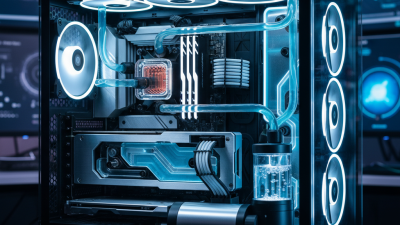
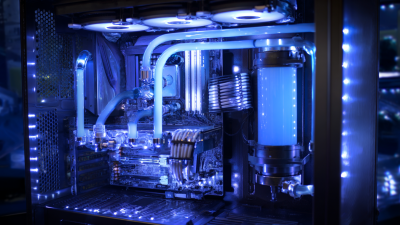
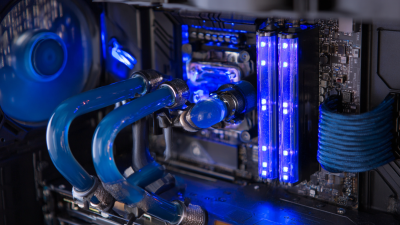
Liquid cooling systems not only enhance performance but also provide a visually striking aesthetic for computer enthusiasts. With customizable RGB lighting and sleek tubing options, these setups can be true works of art. Users can choose colors that match their builds, creating a unique identity for their machines. This level of customization allows for personal expression in a realm often dominated by standard designs.
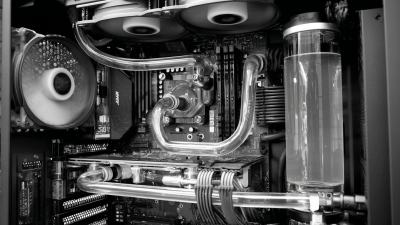
The arrangement of liquid cooling components presents an opportunity to showcase creativity. Players often spend hours designing layouts that not only optimize thermal performance but also elevate the visual impact. Many take pride in crafting intricate loops that flow seamlessly, combining efficiency with beauty. However, creating these unique systems can be challenging, requiring a thoughtful approach to both design and installation. Mistakes are common, and even the most experienced builders may face issues like air bubbles or leaks.
As liquid cooling becomes more popular, enthusiasts are sharing their designs and experiences. Online forums brim with ideas and tips, fostering community and collaboration. While this accessibility is a boon, it also leads to an overwhelming number of choices. Newcomers may feel lost in the plethora of components and configurations available. Finding balance in aesthetics and performance remains a crucial aspect for many builders, prompting ongoing exploration and learning.
Conclusion
Liquid cooling offers significant advantages over traditional air cooling solutions, making it an ideal choice for high-performance computer systems. One of the primary benefits is improved thermal performance and temperature management, allowing components to maintain optimal operating temperatures, which is crucial for stability and efficiency. Additionally, liquid cooling enhances overclocking potential, enabling users to achieve higher performance levels without overheating.
Another key advantage is the reduction in noise levels, as liquid cooling systems operate more quietly than their air-based counterparts. This results in a more pleasant computing environment, particularly for gamers and content creators who value a peaceful workspace. Furthermore, liquid cooling systems often provide aesthetic appeal and customization options, catering to enthusiasts who want to showcase their setups. Finally, the consistent thermal regulation contributes to longer component lifespan and improved reliability, making liquid cooling a smart investment for serious users looking to maximize their computer's performance and longevity.