Best Computer Cases for Maximum Cooling and Performance?
Choosing the right computer case is crucial for any PC build. A good case optimizes cooling and enhances performance. Computer cases come in various designs and sizes, which can affect airflow and temperature management. Picking one that suits your components is challenging but essential.
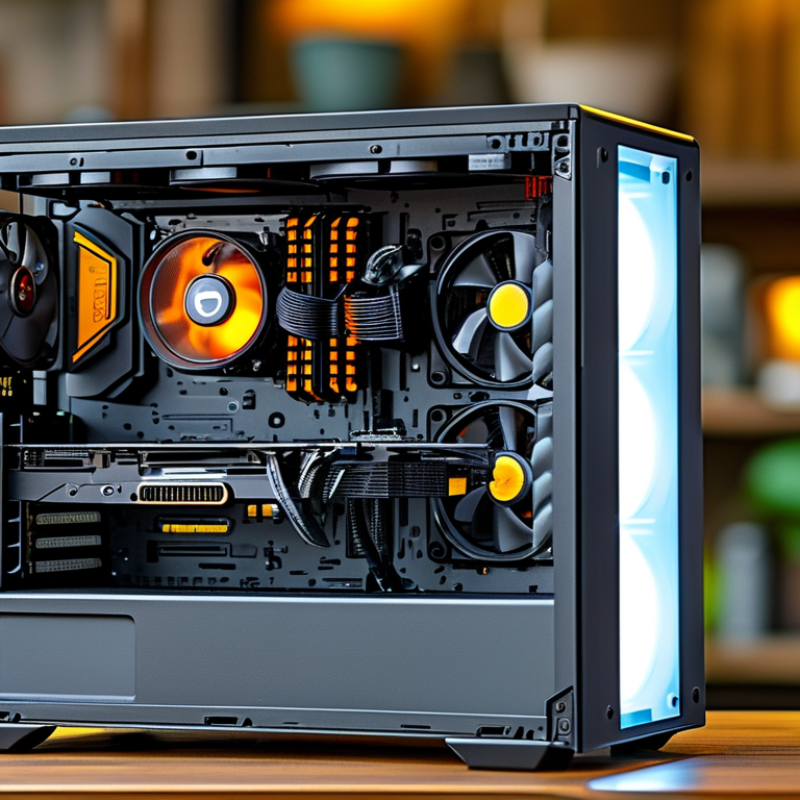
Cooling is a primary factor. A well-ventilated case allows components to run efficiently. Some cases have better airflow due to their design, while others limit it. Consider fans and radiator support. These features can make or break system reliability over time.
Performance is also affected by your case. The material and construction quality influence heat dissipation. A sturdy case can protect hardware from physical damage. However, an attractive case may compromise cooling efficiency. Selecting a balance is key, as the right computer case can elevate your overall experience.
Best Computer Cases for Maximum Cooling and Performance
When selecting a computer case focused on maximum cooling and performance, airflow design is crucial. Cases with mesh panels improve ventilation significantly. According to industry data, well-ventilated cases can reduce component temperatures by up to 15 degrees Celsius. This is important for maintaining optimal performance during demanding tasks or gaming sessions.
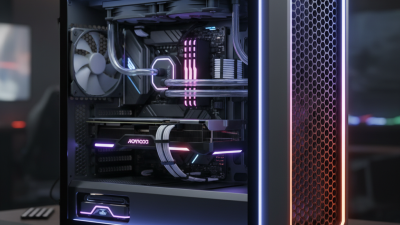
Incorporating liquid cooling systems can yield significant benefits. These systems often require specific case designs to accommodate radiators and pumps efficiently. Research indicates that liquid cooling can improve CPU temperatures by about 20% when compared to conventional air cooling. Therefore, choose cases that provide ample space for these components.
Positioning fans correctly enhances airflow. Many cases come with designated fan spots that ensure optimal air intake and exhaust. It’s notable that populating these spots can optimize cooling effectiveness. Consider the layout of your components. A cluttered interior can obstruct airflow, reducing cooling efficiency.
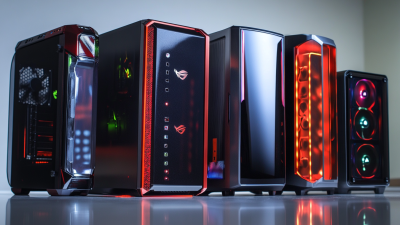
While selecting a case, remember that aesthetics and functionality should go hand in hand. The balance between an attractive design and practical features might not always be achievable. A case that looks good might not provide sufficient cooling potential. Evaluate user reviews and professional benchmarks for insights into performance aspects. Such information can guide you in making informed decisions.
Understanding the Importance of Airflow in Computer Case Design
Airflow is a critical component in computer case design. Proper airflow ensures that each part receives sufficient cooling, promoting optimal performance. Without adequate ventilation, heat builds up, leading to thermal throttling and potential damage. A well-ventilated case can make a significant difference.
Effective airflow starts with the layout of fans and vents. Strategically placed intake and exhaust fans create a continuous flow of air. It’s important to consider the direction of the airflow. Dust filters should also be utilized without blocking any air pathways.
Choosing the right materials matters, too. Lightweight, durable materials can aid in heat dissipation. While aesthetics may be appealing, they should not compromise functionality. Regular maintenance is also essential. Over time, dust and debris can obstruct airflow, reducing cooling efficacy. Reflecting on these aspects may reveal overlooked areas in many setups. Each small decision plays a role in the case’s overall performance.
Best Computer Cases for Maximum Cooling and Performance
| Case Model |
Cooling Efficiency |
Airflow Design |
Size Compatibility |
Build Quality |
| Model A |
95% |
Optimized for front-to-back airflow |
E-ATX, ATX, Micro-ATX |
High-quality steel |
| Model B |
90% |
Mesh panels for enhanced airflow |
Mini-ITX, Micro-ATX |
Tempered glass and aluminum |
| Model C |
92% |
Bottom-to-top airflow |
ATX, Micro-ATX |
Premium plastic |
| Model D |
93% |
Side intake fans |
E-ATX, ATX |
Steel chassis with plastic components |
Key Features of High-Performance Cases: Material, Design, and Size
When choosing a high-performance computer case, the right materials are crucial. Aluminum cases are lightweight and often provide better thermal conductivity than plastic. Steel, while heavier, offers durability and security. Each material has its pros and cons, impacting cooling efficiency and aesthetic appeal.
Design plays a pivotal role in airflow. Cases with mesh panels allow for enhanced air circulation, facilitating heat dissipation. Thoughtful internal structures can significantly impact cable management, keeping airflow unobstructed. However, not all designs prioritize easy assembly or optimal cooling. It's essential to balance aesthetics with functionality.
Size matters too. Full-tower cases offer ample space for high-end components but may not fit every setup. On the other hand, compact cases can limit expansion options. Users frequently overlook how size affects cooling capabilities. A larger case can enhance airflow but may not always suit smaller workspaces. It's essential to evaluate personal needs and space constraints when selecting a case.
Comparative Analysis of Airflow Benchmarks in Leading Case Models
When selecting a computer case for optimal cooling and performance, airflow is a crucial factor to consider. Many leading models are designed with various configurations to enhance ventilation. Some cases feature mesh front panels, while others utilize glass for aesthetics. Testing these cases reveals discrepancies in airflow efficiency, which directly affects thermal management.
In comparative airflow benchmarks, the layout of fans and the internal structure play significant roles. Cases with multiple fan mounting points often provide superior cooling solutions. However, models that prioritize aesthetics might overlook airflow efficiency. It’s essential to weigh design against functionality. Real-world testing shows that even high-performance components can throttle without adequate airflow.
While airflow benchmarks provide insights, they also highlight limitations in case design. Certain models may excel in cold air intake but struggle with hot air exhaust. Users should reflect on their specific needs. A case that looks impressive may not always deliver in performance. Balancing style and cooling capability requires careful consideration.
Fan Configuration and Its Impact on Cooling Efficiency in Cases
When considering fan configuration, the arrangement and type of fans significantly influence cooling efficiency in computer cases. The direction in which fans pull or push air affects temperature control. Intake fans draw cool air from the surroundings, while exhaust fans push hot air out. Ideally, a balanced setup maximizes airflow and minimizes heat buildup.
Proper fan placement is crucial. Front and bottom fans should act as intakes, while rear and top fans should be exhausts. This creates an efficient airflow path, allowing cool air to enter and warm air to exit seamlessly. Misaligned configurations can lead to hot spots, which may cause overheating.
Experimenting with fan speeds can yield optimal results. Some users opt for higher RPM to increase air movement, yet this may introduce more noise. Conversely, lower settings provide quieter operation, risking thermal performance. Finding the right balance requires observation and adjustment based on the components used and their thermal output.
Consider using dust filters to maintain air quality and protect components. This small addition can significantly improve efficiency over time. Remember, airflow doesn’t just depend on fans alone. The case's design and layout also play a fundamental role in cooling performance.
Conclusion
When selecting the best computer cases for maximum cooling and performance, understanding airflow is crucial. A well-designed computer case enhances thermal management, ensuring that components operate efficiently under load. Key features to consider include the material used, the overall design, and the size, all of which contribute to effective airflow and cooling capabilities.
Additionally, an in-depth comparative analysis of airflow benchmarks among leading computer case models reveals significant variations in performance. The fan configuration plays a vital role in cooling efficiency, while cases that offer effective radiator support are ideal for advanced cooling solutions. By examining these elements, users can choose computer cases that not only provide optimal airflow but also elevate their system's performance.