How to Choose the Best Computer Monitor for Your Needs?
Choosing the right computer monitor is crucial in today's digital landscape. With a surge in remote work, many employees are investing in monitors that enhance productivity. According to industry reports, the global monitor market is projected to reach $16 billion by 2025. Factors influencing this growth include increased demand for high-resolution displays and ergonomic designs.
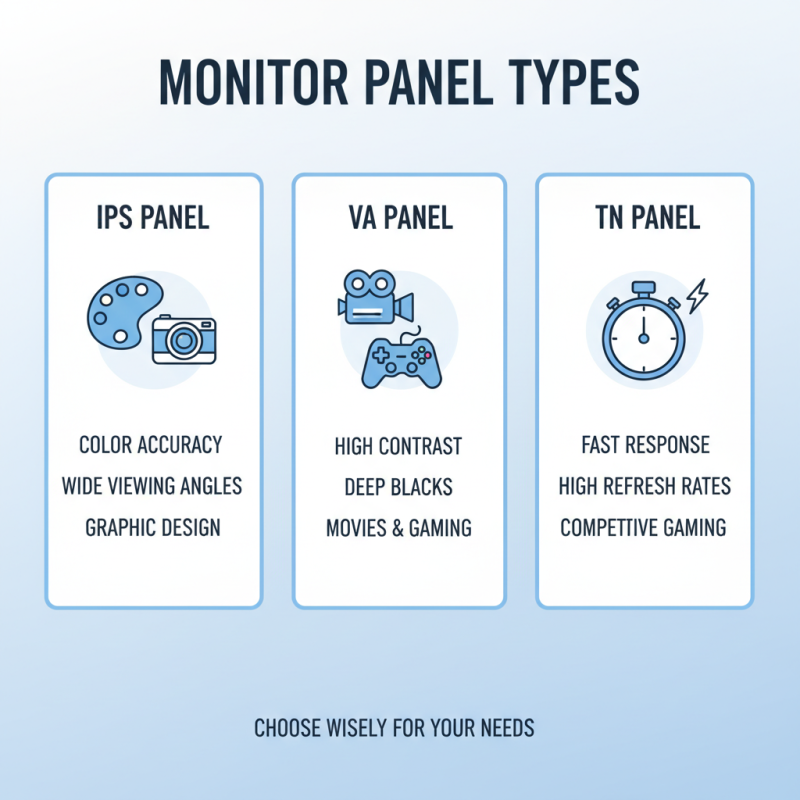
When selecting a computer monitor, consider your specific needs. There are various types, including IPS, TN, and VA panels. Each offers different strengths, such as color accuracy or response time. The ideal monitor should match your primary tasks, whether gaming, graphic design, or office work. It's also vital to evaluate screen size and resolution. A larger screen can improve multitasking, while a higher resolution can enhance visual clarity.
Yet, many users often overlook important features. For example, refresh rates and connectivity options can significantly impact your experience. A monitor that fits your needs isn’t always easy to identify. Research and understanding of specifications are key. Reflect on the role your monitor plays. Is it truly meeting your requirements, or just fulfilling a basic need? These considerations can lead to a more informed and satisfying purchase.
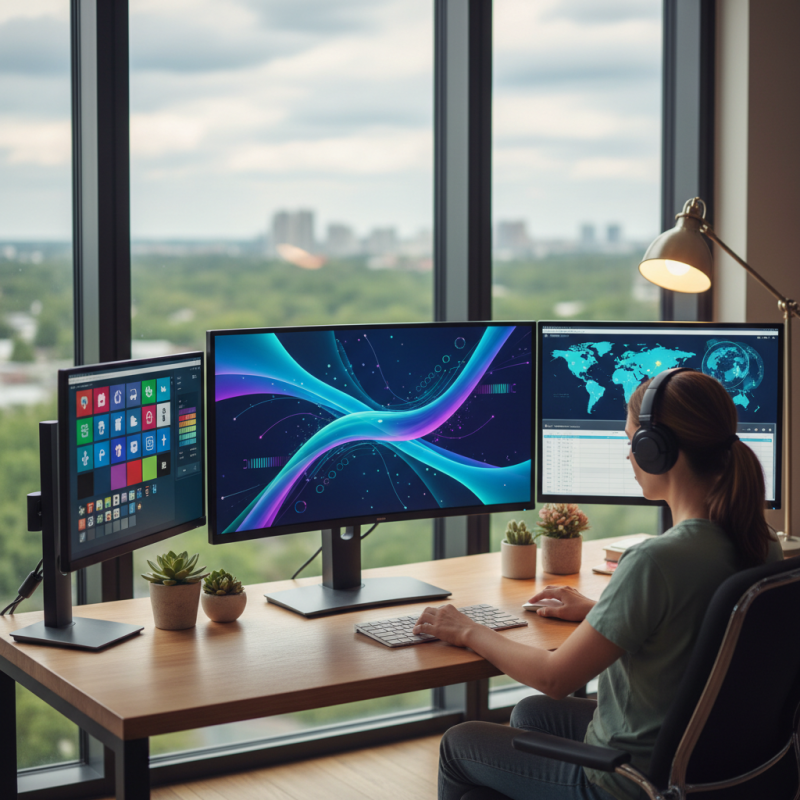
Understanding Different Types of Computer Monitors and Their Features
When selecting a computer monitor, understanding the types available is crucial. There are several varieties, each with unique features. For instance, IPS panels provide vibrant colors and wide viewing angles. They are excellent for graphic design and photo editing. However, they can be more expensive.
On the other hand, TN panels are often more affordable. They offer faster response times, making them great for gaming. Yet, their colors are less accurate, which can be frustrating for professionals. VA panels sit in between, providing decent contrast but with slower response times. This could be a drawback for fast-paced games.
Screen resolution also matters. Full HD is standard, but 4K monitors offer stunning detail for video and gaming. Yet, not all systems can support such high resolutions. Size is another consideration. A larger screen can enhance your experience, but it also requires more desk space. Reflecting on your own needs will guide your choice.
Assessing Your Usage Needs and Performance Requirements
When choosing a computer monitor, assessing your usage needs is crucial. Different activities require different specifications. For general use, a standard resolution may suffice. But if you're into gaming or graphic design, higher resolutions and refresh rates are essential.
Consider your work habits. Do you spend hours staring at the screen? Eye strain can be a real issue. In this case, prioritize features like blue light filtering and anti-glare technology. A larger screen can enhance your productivity, but remember: more screen real estate also means more distractions.
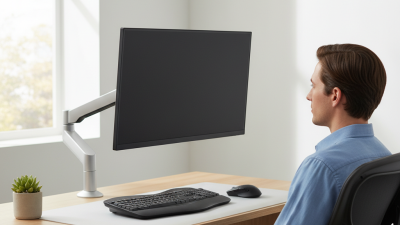
**Tips**: Look for monitors with adjustable stands. They can help you achieve a comfortable viewing angle. Think about connectivity options too. Make sure it supports devices you plan to use. Research the calibration features as well. An uncalibrated monitor can yield inaccurate colors. Even high-end models may need some tweaks to perform best.
Evaluating Size and Resolution for Optimal Viewing Experience
Choosing the right monitor size and resolution is crucial for enhancing your viewing experience. Studies show that the ideal screen size can vary. For standard office work, monitors between 24 and 27 inches are popular. They offer a good balance between usability and visibility. For gaming or graphic design, larger screens range from 27 to 32 inches. These provide immersive experiences but can be overwhelming for small spaces.
Resolution plays a vital role in clarity. A 1080p monitor is suitable for basic tasks but may disappoint when viewing high-definition images or videos. Reports indicate that 4K monitors, with their 3840 x 2160 resolution, offer stunning detail. Yet, they require powerful hardware to maximize their potential. Choosing the right resolution can also depend on your eyesight and viewing distance. Sitting too close to a monitor may strain your eyes, particularly with higher resolutions.
Ultimately, personal preference cannot be ignored. Some users prefer larger screens despite potential drawbacks, such as neck strain. Setting the right height and distance is essential. A monitor that is too high or too low can affect posture. Discomfort may arise more quickly than expected. Finding the balance between size, resolution, and comfort can significantly impact long-term satisfaction.
How to Choose the Best Computer Monitor for Your Needs?
| Dimension |
Value |
Suitable For |
| Screen Size |
24 inches |
General use, office work |
| Resolution |
1920 x 1080 (Full HD) |
Everyday use, gaming |
| Screen Size |
27 inches |
Creative work, photo editing |
| Resolution |
2560 x 1440 (Quad HD) |
Professional work, gaming |
| Screen Size |
32 inches |
Multitasking, immersive experience |
| Resolution |
3840 x 2160 (4K UHD) |
Video editing, high-detail work |
Considering Connectivity Options and Compatibility with Other Devices
Choosing a computer monitor involves more than just display quality.
Connectivity options play a crucial role.
HDMI, DisplayPort, and USB-C are common connections.
Each option has its pros and cons. For example,
HDMI is widely used but may lack some advanced features.
DisplayPort supports higher resolutions and refresh rates.
Think about what devices you want to connect.
Compatibility with your current devices is key. Ensure your chosen monitor matches their output types.
Using adapters can be a quick fix, but they might affect performance.
Check if your monitor has built-in speakers or USB hubs.
These features can streamline your setup. However, avoid overloading your ports;
it can lead to connectivity issues.
Consider future-proofing your purchase.
Technology evolves fast. Investing in a monitor with multiple port options can save you headaches later.
You may not know which devices you’ll want to connect in a year or two.
Make sure your monitor can adapt to your needs as they change.
Budgeting and Finding the Best Value for Your Monitor Selection
Finding the best computer monitor for your needs can feel overwhelming, especially when you’re on a budget. You may want a large screen with great resolution, but must watch your spending. Start by determining how much you can invest. A clear budget will help you narrow down your choices.
Consider what you will use the monitor for. If it's for casual browsing, you might not need the highest specs. For creative work, however, a monitor with accurate color reproduction is crucial.
Compare prices and features. Take your time here. A monitor's value is not just in its price, but also in how well it meets your unique needs.
Don't forget to check for discounts or sales. They can significantly reduce costs. Sometimes, lower-priced monitors perform surprisingly well.
Test out different models if possible. Pay attention to picture quality, comfort, and adjustability. Each choice has trade-offs. Reflect on what matters most to you.