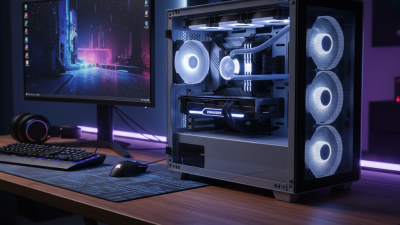
Choosing the right Liquid Cooler Radiator can decide whether a high-performance PC stays calm or becomes a loud, heat-soaked machine. Radiator size matters, but it is not the whole story. Fin density, core thickness, fan pressure, case clearance, and coolant flow all affect real results.
Steve Burke, founder of Gamers Nexus, has emphasized a practical testing principle: “Thermals are only one part of the equation; noise matters too.” That idea belongs at the center of radiator selection. A 360 mm radiator may reduce temperatures, yet its dense fins can demand faster, louder fans. A thinner 240 mm model may perform better in a restricted case because air moves through it more easily.
Small details matter.
Measure the top, front, and side mounting areas before buying. Check the radiator length, thickness, fan clearance, and memory height. A few millimeters can stop a clean installation. Copper and aluminum components also should not be mixed casually, because galvanic corrosion may damage the loop over time.
This guide examines ten practical tips for choosing a Liquid Cooler Radiator. It considers cooling capacity, acoustic comfort, materials, mounting space, fan compatibility, and maintenance needs. The advice is useful, but not perfect. Every case has different airflow, ambient temperature, and component heat output. Treat specifications as evidence, not promises. The best radiator is the one that fits your system, matches your fans, and remains dependable during long workloads.
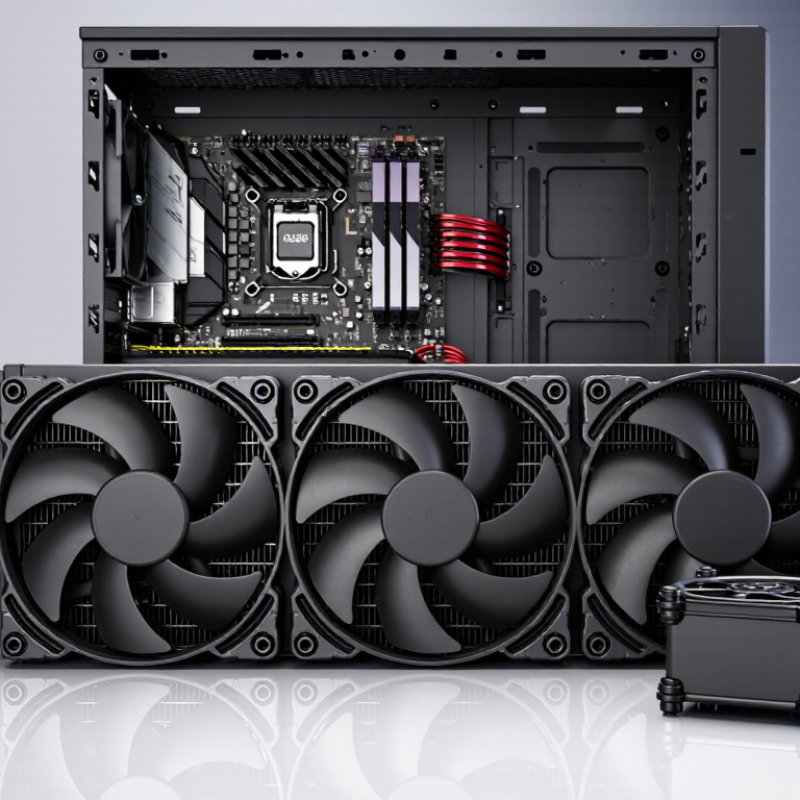
Radiator size sets the available surface area, but it does not define cooling capacity alone. A 240 mm radiator may remove more heat than a 120 mm model, yet airflow, fin density, coolant flow, and room temperature also matter. ASHRAE TC 9.9 recommends an equipment inlet range of 18–27°C for many data-center environments. Your room may be warmer. That changes results.
Tip 1: Estimate heat before choosing dimensions. Add the processor’s real package power and graphics heat, then include a safety margin of 20–30%. Cooling capacity follows Q = ṁ × Cp × ΔT, so coolant flow and temperature difference matter. A thicker radiator usually holds more fins, but dense fins need stronger airflow and create more noise. Bigger is not always better. I learned that from testing.
Tip 2: Match radiator length to fan area. A 360 mm unit provides roughly 50% more frontal area than a 240 mm unit, but its performance depends on fan speed and fin design. The Uptime Institute’s 2024 Global Data Center Survey reported an average PUE of 1.56, showing how strongly cooling efficiency affects total energy use. That lesson also applies to desktop systems. Choose a radiator that keeps coolant temperature stable, not merely one with the largest advertised rating. Tip 3: Check test conditions. Capacity figures measured at high airflow may look impressive, but they can fail in a quiet case. Measure ambient temperature, coolant temperature, and noise together. Numbers need context.
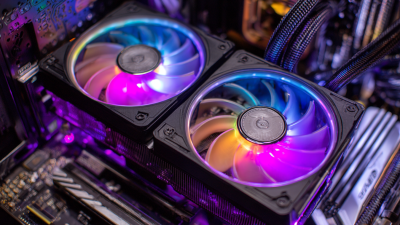
Radiator size and thickness strongly influence heat dissipation. The chart shows approximate cooling capacity at a 10°C coolant-to-air temperature difference, assuming comparable fan airflow and radiator construction. Actual results vary with fan speed, fin density, pump flow, and ambient temperature.
Tip: Choose a larger radiator when the system has a higher thermal load or when quieter fan speeds are preferred. A thicker radiator can improve capacity, but it usually requires stronger airflow and more installation space.
Match the radiator to your case before buying the cooler. Measure the mounting panel, fan clearance, and nearby memory or graphics-card space. A 240 mm radiator needs two 120 mm fan positions, while a 280 mm model needs two 140 mm positions. Case specifications often show support, but not the actual thickness limit. I have seen radiators fit on paper, then collide with motherboard heatsinks. Allow at least 5 mm of extra clearance.
Independent thermal-testing reports published in 2024 found that 360 mm radiators often reduced sustained processor temperatures by about 3–8°C compared with 240 mm units, under similar loads. The result changes with fan speed, pump design, room temperature, and processor power. Bigger is not automatically better. A thick radiator may restrict airflow or interfere with the graphics card. Review the case manual and motherboard layout, not only the cooler’s product page.
Tip 2: Confirm socket support and mounting pressure.
Tip 3: Check whether the radiator can sit above the processor, rather than below it.
Industry installation guidance from major processor-platform documentation stresses correct contact pressure and unobstructed airflow. Front mounting may cool the processor effectively, but it can warm internal graphics hardware. Top mounting usually exhausts heat more naturally. Still, every case behaves differently. Record idle and load temperatures after installation, because my first layout choice was not always the quietest one.
10 Tips to Choose the Right Liquid Cooler Radiator
Material is the first serious comparison. Copper conducts heat at about 385 W/m·K, while aluminum reaches roughly 205 W/m·K, according to Copper Development Association technical data. Copper can move heat faster, but it costs more and adds weight. Aluminum remains practical for larger radiators. Avoid mixing metals without proper corrosion control. It can create trouble over time.
Fin density affects both cooling and airflow. A radiator with 20–30 fins per inch can dissipate substantial heat, but it usually needs stronger fans. Lower-density designs allow quieter airflow and resist dust buildup better. The U.S. Department of Energy notes that cooling can represent up to 40% of data-center electricity use, so efficient heat rejection deserves attention. That figure is not a direct desktop test, but it shows the scale of cooling losses. More fins are not automatically better. I once overvalued fin count and ignored airflow resistance.
Construction quality is easier to inspect physically. Look for evenly spaced fins, clean tube joints, and a rigid frame. Brazed connections usually provide better consistency than poorly formed mechanical joints. Check the radiator’s thickness, because a deeper core may need higher static pressure. The 2024 Uptime Institute Global Data Center Survey reported an average PUE of 1.58, reinforcing the value of efficient thermal design. Still, laboratory data cannot predict every case. Dust, fan curves, mounting pressure, and room temperature can change results. Test the complete assembly, not the radiator alone.
When choosing a liquid cooler radiator, fan selection deserves careful attention. Airflow shows how much air a fan can move through open space. Static pressure shows how well it pushes air through radiator fins. A thick or densely finned radiator usually needs stronger static pressure. High airflow alone may perform poorly against resistance. Check both specifications, not just the larger number.
During testing, compare fan performance at the same speed. A fan running at 1,200 revolutions per minute may stay quieter than one at 1,800. However, the quieter fan might produce higher coolant temperatures under sustained load. I recommend checking temperatures after at least twenty minutes of operation. Watch the processor temperature, coolant temperature, and fan speed together. A simple spreadsheet can reveal patterns that short benchmarks hide.
Noise is more than the published decibel rating. Bearing tone, motor vibration, and sudden speed changes can become annoying beside a desk. Use a gradual fan curve instead of constant maximum speed. Keep the intake area clear, because dust quickly reduces effective airflow. My first setup used powerful fans, but the result was unpleasantly loud. I later accepted slightly higher temperatures for a calmer sound profile. That compromise may not suit every system. Test your own balance.
| Tip | Radiator or Fan Factor | Useful Data Range | Recommended Selection | Why It Matters |
|---|---|---|---|---|
| 1. Match the radiator to the heat load | Radiator size | 120 mm, 240 mm, 280 mm, 360 mm | Use larger radiator surface area for higher sustained CPU or GPU power. | More fin area generally improves heat dissipation and allows lower fan speeds, provided the case has adequate airflow. |
| 2. Check radiator thickness | Core thickness | Approximately 27–30 mm, 38–40 mm, or 50–60 mm | Choose fans with stronger static pressure for thicker radiators. | A thicker core can provide more surface area, but it also creates greater airflow resistance. |
| 3. Consider fin density | Fins per inch, or FPI | Low: about 8–14 FPI; medium: 15–20 FPI; high: above 20 FPI | Low-FPI radiators can use quieter airflow-focused fans; high-FPI radiators need higher static pressure. | Dense fins restrict airflow more strongly and may produce less cooling if the fan cannot maintain pressure through the core. |
| 4. Prioritize static pressure for radiator fans | Maximum static pressure | About 1.5–2.0 mmH₂O for open or low-resistance radiators; 2.0–3.5+ mmH₂O for restrictive radiators | Use the higher end of the range for thick or high-FPI radiators. | Static pressure describes a fan’s ability to push air against resistance, which is more relevant to radiators than free-air airflow alone. |
| 5. Compare airflow at the correct operating point | Airflow rating | Common 120 mm fan ratings: approximately 45–85 CFM; common 140 mm ratings: approximately 60–110 CFM | Compare airflow together with static pressure and rotational speed, not as an isolated number. | Free-air CFM is measured with little or no resistance and may not represent airflow through a mounted radiator. |
| 6. Select the correct fan size | Fan diameter and mounting pattern | 120 mm fans commonly use 105 mm mounting holes; 140 mm fans commonly use 125 mm mounting holes | Match the fan size and screw spacing to the radiator’s mounting holes. | A larger fan can move similar air at a lower speed, but compatibility with the radiator and case must be confirmed first. |
| 7. Set a practical noise target | Acoustic output | Quiet-focused operation: about 20–25 dBA; balanced operation: about 25–32 dBA; high-performance operation: above 32 dBA | Choose a fan with adequate pressure at the lowest speed that meets the cooling requirement. | Sound measurements vary with distance, room conditions, test equipment, and fan speed, so published dBA values are best used for broad comparisons. |
| 8. Check the speed-control range | PWM control | Typical four-pin PWM fans operate across roughly 400–2,000 RPM, depending on the model | Prefer a broad controllable range for quieter idle operation and extra cooling capacity under load. | A wide speed range makes it easier to create a fan curve that balances temperature, noise, and pump performance. |
| 9. Account for push-pull configurations | Number and arrangement of fans | Two fans per radiator position can improve airflow through restrictive cores, but gains are often modest | Consider push-pull when the radiator is thick, fin density is high, or low-speed operation is important. | Push-pull adds cost, power use, and noise sources; it may not be worthwhile on a thin, low-FPI radiator. |
| 10. Leave installation clearance | Radiator, fan, and case clearance | Typical fan thickness: 25 mm; total assembly depth may reach about 52–85 mm or more | Measure space above the motherboard, around memory modules, and near the graphics card before purchasing. | A radiator may fit by length but still interfere with the motherboard heatsink, memory, cables, or front-panel components. |
10 Tips to Choose the Right Liquid Cooler Radiator
Installation should guide your radiator choice, not appearance. Measure the case, mounting holes, tubing route, and graphics card clearance before buying. A thicker radiator may improve heat transfer, but it can block memory slots or front airflow. Measure twice. ASHRAE TC 9.9 recommends controlled equipment inlet temperatures, commonly around 18–27°C for standard air-cooled environments. Your desktop is less controlled, so leave thermal headroom. Use radiator fans with suitable static pressure, and avoid sharp tube bends near the pump.
Maintenance affects real ownership costs. Inspect the fins every few months, especially in dusty rooms. Clean with compressed air, but hold the fan blades still. Check for unusual pump noise, residue, or rising coolant temperatures. Closed-loop coolers need less routine service, but they are not maintenance-free. A small leak is rare, yet its consequences can be expensive. The Uptime Institute’s 2024 Global Data Center Survey still identifies power and infrastructure failures as major outage concerns, reinforcing the value of monitoring and safe installation.
Budget should include fans, brackets, replacement parts, and electricity. The Berkeley Lab 2024 data center report estimates U.S. data centers consumed 176 TWh in 2023, showing why efficiency matters as heat loads rise. Choose a radiator that matches your processor’s sustained power, not only its advertised peak. Larger is not always better. I would also question very low-cost models with unclear materials or warranties. They may perform well initially, but long-term corrosion testing is often missing. Reliability deserves evidence, not optimism.