Why Choose the Right PC Cooling Fan for Your Needs?
Selecting the right PC cooling fan is crucial for optimal system performance. The global cooling fan market is projected to grow to $5.5 billion by 2026, reflecting increasing demand for effective thermal management. A PC cooling fan not only enhances performance, but it also extends the lifespan of computer components.
Heat is a silent enemy of technology. Inefficient cooling can lead to overheating, system crashes, and hardware damage. Studies show that 20% of system failures are related to improper cooling solutions. Choosing the right fan can mitigate these risks.
There are many factors to consider. Noise levels, airflow, and size play significant roles. A quieter fan can improve user experience, while a larger fan may provide better cooling. However, balance is key. An oversized unit could disrupt airflow in a compact build. Understanding your needs is essential for making an informed decision. The right PC cooling fan is not just a component; it’s an investment in reliability.
Understanding PC Cooling Requirements for Optimal Performance
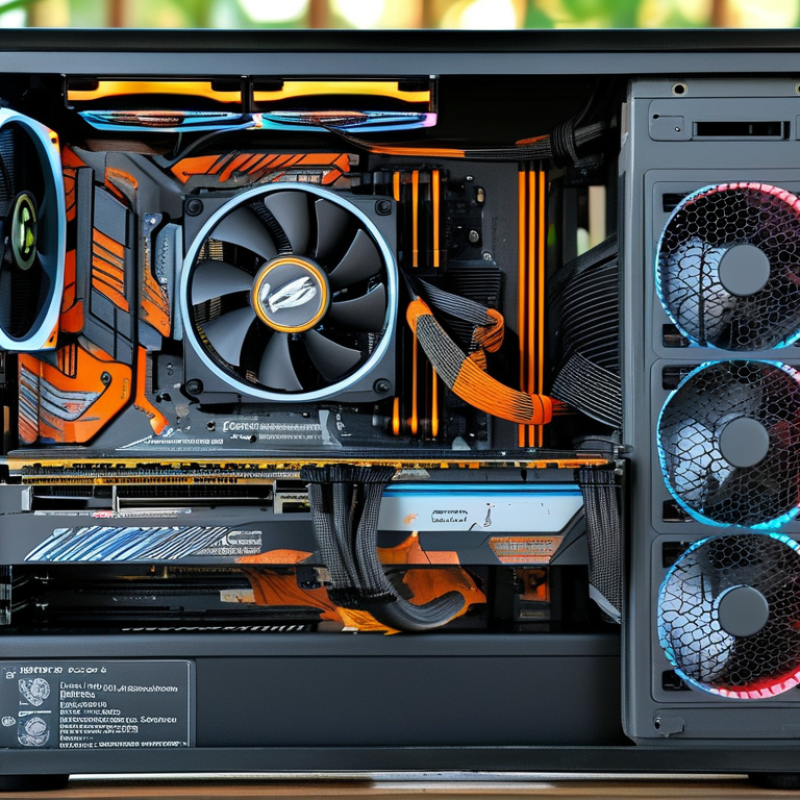
Choosing the right cooling fan for your PC is crucial for maintaining peak performance. Understanding your system's cooling requirements can significantly affect its longevity and efficiency. A powerful CPU or GPU generates heat, which needs to be managed effectively. If the temperature exceeds optimal levels, it can lead to thermal throttling, where performance is reduced to prevent overheating.
A balanced airflow system is essential. Ensure you have a mix of intake and exhaust fans. This helps in maintaining a steady flow of cool air into the case while expelling hot air. Remember that fan placement matters. Installing fans correctly can improve cooling efficiency and reduce noise levels.
Consider your case size before purchasing a fan. Larger fans can move more air at lower RPM, which translates to quieter operation. It's easy to overlook this detail, but it can make a significant impact. Regular maintenance is another overlooked aspect. Dust accumulation can hinder airflow and cooling effectiveness. Clean your fans and components periodically for optimal performance.
Types of PC Cooling Fans: Air, Liquid, and Customized Solutions
When it comes to cooling solutions, understanding the types of PC cooling fans is essential. The primary categories include air cooling, liquid cooling, and customized solutions. Each option has distinct characteristics that can affect your system's performance.
Air cooling fans are the most common choice. They utilize a heatsink and fan combination to dissipate heat. According to a recent industry report, air cooling can be efficient for systems under moderate loads. It is cost-effective and requires minimal maintenance. However, they may not suffice for high-performance setups, leading to potential overheating issues.
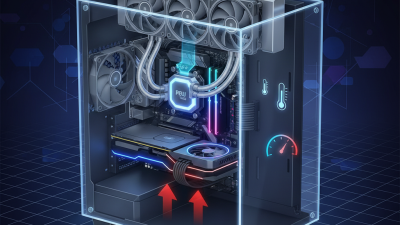
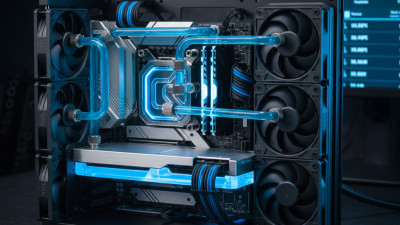
Liquid cooling, on the other hand, offers superior thermal management. It circulates coolant through a closed loop to absorb heat from the CPU or GPU. Research indicates that liquid cooling can reduce temperatures by up to 50% compared to traditional air cooling. However, it may come with higher costs and requires more complex installation. For users with specific needs, customized solutions can be crafted. These setups may combine elements from both cooling methods to achieve optimal temperatures. Yet, they often demand a deeper understanding of thermal dynamics and budgeting considerations.
Factors to Consider When Selecting a PC Cooling Fan
Choosing the right PC cooling fan is crucial for optimal performance. Factors such as airflow, noise level, and design play significant roles. Airflow, measured in CFM (cubic feet per minute), determines how effective the fan is in moving air. A higher CFM rating usually means better cooling. However, it's essential not to overlook noise. A fan with high airflow can be quite noisy, which might be disruptive, especially in a quiet environment.
Another important factor is the fan size. Larger fans can move more air at lower RPM, resulting in quieter operation. Conversely, smaller fans spin faster, generating more noise. Additionally, consider the fan's static pressure, especially if it is installed in restricted spaces or used with heatsinks. This measurement indicates how well the fan pushes air through tight spots.
Keep in mind the overall aesthetics and compatibility with your PC case. A fan that matches your build not only enhances functionality but also adds to the overall look. Reflect on the cooling requirements of your components. Do you need high performance or a silent operation? Your priorities will guide your decision. Balancing these factors can be challenging but is essential for building an efficient and reliable system.
Noise Levels and their Impact on Cooling Fan Selection
When selecting a cooling fan, noise levels play a crucial role. Most users prefer a quiet environment, especially for home offices and gaming setups. A study published by the International Journal of Thermal Sciences indicates that noise levels above 30 dB can significantly affect concentration and productivity. This underscores the importance of choosing fans that provide optimal cooling while maintaining low noise emissions.
Fans with noise levels around 25 dB or lower are often marketed as "silent" options. These fans typically use advanced technologies, such as fluid dynamic bearings, to reduce vibration. According to research from the Acoustic Society of America, vibration isolation can decrease noise levels by 50%. Therefore, understanding the design and specifications of cooling fans can inform better choices based on noise sensitivity.
User experiences highlight a common trade-off in the cooling fan market. Many enthusiasts report that higher airflow often comes with increased noise. Some cooling solutions can reach 50+ dB during peak operation. This noise can be disruptive. It's essential to evaluate your needs. Do you require maximum cooling, or is a quieter operation more desirable? Identifying these preferences will lead to a more tailored and satisfactory cooling solution for specific environments.
Maintenance and Longevity of PC Cooling Fans: Best Practices
Choosing the right cooling fan is crucial for PC maintenance. Research indicates that improper fan maintenance can lead to overheating. A study shows that 60% of users experience thermal throttling due to neglected cooling solutions. This emphasizes the need for regular care and evaluation.
Cleaning is one of the most important maintenance practices. Dust buildup can significantly reduce a fan's efficiency, leading to potential hardware failures. It's advisable to clean fans every three months to ensure optimal airflow. Moreover, using dust filters can further protect fans from debris, prolonging their lifespan.
Another critical aspect is monitoring noise levels. Fans that operate too loudly may indicate an underlying issue, such as bearing wear. Replacing fans proactively can prevent noise issues and maintain a quiet computing environment. Users should consider these factors to enhance the longevity and performance of their PC cooling systems.