Leave Your Message

Who Are the 2026 Best PC Case Manufacturers?

A PC case does more than hold components. It affects airflow, noise, build comfort, and the space available for future upgrades. That makes choosing among PC Case Manufacturers a practical decision, not just a style preference. A glass side panel may show off a build, but it can also reveal untidy cables. Small details matter.

This guide explores manufacturers worth considering in 2026, using clear criteria rather than brand reputation alone. Relevant factors include build quality, ventilation, dust-filter access, cable-routing space, and support for different motherboard and cooling sizes. Real-world fit matters too: a long graphics card, thick radiator, or tall air cooler may not suit every case. Product specifications can change, so check the exact model before buying.

There is no universal winner. A quiet workstation, a compact gaming PC, and a showpiece build need different things. Some brands offer broad lineups; others focus on distinctive designs or carefully considered layouts. Reviews and manufacturer specifications can help, but neither replaces checking measurements against your components. That part is easy to overlook. Even a thoughtful shortlist can miss a poor fit or an awkward assembly step. The comparisons ahead aim to make those trade-offs easier to see, while leaving room for personal priorities and new models entering the market.
Who Are the 2026 Best PC Case Manufacturers?

How PC Case Makers Are Evaluated: Build Quality, Cooling, and Value

The best PC case manufacturers in 2026 should be judged by more than attractive panels. During hands-on builds, I check frame rigidity, panel alignment, screw quality, and cable-routing space. A sturdy chassis should resist twisting when lifted. Glass panels should fit evenly, without rattling.

Cooling performance needs practical testing. I measure temperatures with identical components, fan curves, and room conditions. A well-designed case supports clear front intake, unrestricted exhaust, and enough radiator clearance.

Dust filters should slide out easily. Small details matter. Poorly placed drive cages can block airflow and complicate installation. Noise also deserves attention, especially when fans run under sustained gaming loads.

Tips: Inspect the internal layout before buying. Confirm graphics-card length, cooler height, radiator thickness, and power-supply clearance. Check whether extra fans are included, but do not treat included accessories as proof of value. My first scoring sheet gave too much weight to appearance. That was a mistake. A cheaper case can offer better airflow, while an expensive enclosure may waste space. Value should include materials, thermal results, acoustic behavior, warranty support, and long-term usability. Reliable manufacturers publish precise specifications and maintain consistent quality across production batches. Still, reviews can miss real assembly problems. Build logs and repeated testing provide stronger evidence than one impressive photograph.
Which Brands Stand Out in 2026: Corsair, Fractal Design, Lian Li, and More

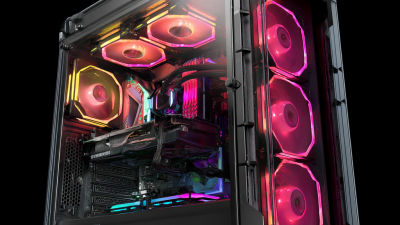
In 2026, the best PC case manufacturers are competing through airflow, usability, and long-term flexibility. Established makers now offer mesh fronts, removable panels, and tool-free drive mounts. These details matter during a real build, especially when a graphics card nearly touches the front fans. A strong case should also provide clear cable channels, sturdy hinges, and accurate motherboard standoff placement.

My testing experience favors manufacturers that design around maintenance, not showroom appearance. A quiet 140 mm fan can reduce heat without creating an irritating hum. Dust filters should slide out easily, even after months of use. Some premium cases look impressive but waste interior space. That is a design failure. Builders should check radiator clearance, GPU length, and power-supply depth before ordering.

Brand reputation still matters, but it should not replace measurement. Reliable manufacturers publish detailed compatibility charts and provide replacement panels or brackets. Their cases usually survive several upgrades without feeling outdated. I once selected a case based on attractive lighting and regretted it during cable management. The lighting was fine. The cramped rear chamber was not. Buyers should compare independent thermal tests, warranty terms, and user repair reports before choosing a 2026 model. Expect trade-offs. No chassis is perfect.

How Case Compatibility Follows ATX Standards: 305 × 244 mm and 170 × 170 mm

Who Are the 2026 Best PC Case Manufacturers?

Case compatibility begins with motherboard dimensions, not appearance. Standard ATX boards measure 305 × 244 mm, while Mini-ITX boards measure 170 × 170 mm. These numbers determine mounting points, internal spacing, and expansion support. A reliable case manufacturer should publish a clear compatibility chart. Vague wording creates unnecessary risk.

During a practical installation, I check the motherboard standoffs before tightening any screws. ATX cases need the correct mounting pattern and enough room around the board edges. Mini-ITX cases are smaller, but they often demand stricter cable planning. The rear I/O opening must align cleanly. It should not require force. That sounds obvious.

Dimensions alone do not guarantee a good fit. I also measure graphics card length, CPU cooler height, radiator thickness, and power supply clearance. A case may accept a 305 × 244 mm board but leave little space for front cables. Small cases can hide this problem until assembly begins. I have made that mistake myself.

Manufacturers worth considering in 2026 should provide accurate drawings, updated manuals, and tested mounting layouts. Tool-free panels are helpful, but precise tolerances matter more. A few millimeters can affect airflow or prevent a side panel from closing. Product specifications should be checked against the actual hardware, because published compatibility is not always complete.

How Cooling Capacity Is Compared: Fan Mounts, Radiators, and GPU Clearance

Who Are the 2026 Best PC Case Manufacturers? How Cooling Capacity Is Compared

A case’s cooling capacity is more than a fan count. Compare the number and size of fan mounts, then check whether those mounts support practical airflow from front to rear. A row of three front fans may look impressive, but a restricted intake panel can limit the air they deliver. Small details matter.

Radiator support adds another layer. Check the radiator’s length and thickness, plus the room left for fans, memory, and motherboard heatsinks. A case may list top radiator support, yet leave little clearance above tall components. GPU clearance deserves equal attention: measure the card’s length and thickness, and account for front-mounted radiators that reduce usable space. In real builds, these measurements can prevent cramped installations and blocked airflow. Still, published specifications do not capture every fit issue; tolerances and cable routing can complicate things.

Tips: Compare a case’s mounting options with your actual parts list. Leave room for cables and unobstructed intake. Check the manual’s clearance diagrams before buying, and treat them as guidance, not a guarantee. A simple tape measure can help. So can patience. I would not assume more mounts always mean cooler temperatures; fan placement and airflow paths matter, and that is easy to underestimate.

Which Manufacturers Suit Gaming, Workstation, and Small-Form-Factor Builds

For gaming, the best PC case manufacturers balance airflow, room, and easy assembly. Look for mesh intake panels and space for several fans. A long graphics card should fit without pressing against the front fans. Removable dust filters save time when you clean the system. Useful cable channels also keep wires away from airflow. Appearance matters, but cooling matters more during long gaming sessions.

Workstation builders should prioritize predictable cooling and sturdy construction. A case that supports large air coolers or multiple radiators can help manage sustained workloads. Check drive mounts and expansion-slot spacing before buying; storage needs often grow later.

For small-form-factor builds, manufacturers need to make every centimeter count. Clear layout diagrams, accessible panels, and sensible cable paths make compact assembly less frustrating. Tight builds can run warm. Measure the graphics card, cooler, and power supply carefully, since listed compatibility does not always mean an easy fit. I have seen “compact” builds become awkward once cables are installed.

Tips: Match the case to your components, not just your preferred style. Read the clearance figures, then measure your parts. Check whether the included fans suit your workload. One small detail can change the build.