Leave Your Message

Top Tips for Choosing the Best Computer Cases for Your Setup?

Choosing the right computer cases is essential for any PC build. A good case not only holds your components but also affects airflow and aesthetics. There are many factors to consider when selecting computer cases. Size, materials, and design can greatly influence your experience.

Consider compatibility with your components. Some cases fit only specific motherboards. Others may not allow for certain GPU lengths. Pay attention to airflow as well. A well-ventilated case keeps your system cool during intense tasks.

Don't overlook cable management features either. Neat cables look better and improve airflow. Finding the perfect computer case can be challenging. It's a balance between functionality and style. Reflect on your needs before making a decision. The right choice makes a difference in your setup.

Top Tips for Choosing the Best Computer Cases for Your Setup?

Factors to Consider When Choosing a Computer Case

Choosing a computer case can feel overwhelming. There are numerous factors to consider. Size is crucial. Ensure the case fits your components. Measure your motherboard and GPU. A case that’s too small? That’s a common mistake. It leads to frustration.

Ventilation is another vital aspect. Poor airflow can cause overheating. Look for cases with ample fan spots. Dust filters are a bonus. They help maintain clean internals. Keep in mind, aesthetics matter too. You want something appealing. But it shouldn’t sacrifice functionality. A balance is key.

Don't forget cable management. A tidy setup looks professional. It also aids airflow. Cases with built-in management features are helpful. You might overlook this detail, but it’s significant. Consider your future upgrade plans as well. A case should accommodate growth. Planning ahead can save you from buying a new case soon.

Top Tips for Choosing the Best Computer Cases for Your Setup

Factor Description
Size Ensure the case fits your motherboard size (ATX, Micro ATX, Mini ITX).
Cooling Look for cases with good airflow and sufficient fan mounts.
Material Consider cases made from steel, aluminum or tempered glass for durability.
Expansion Slots Check the number of expansion slots for graphics cards and other components.
Cable Management Good cable management options help maintain clean builds and airflow.
Aesthetics Choose a case that fits your personal style and includes features like RGB lighting.
Price Consider your budget while ensuring that quality is not compromised.

Understanding Different Types of Computer Cases

Top Tips for Choosing the Best Computer Cases for Your Setup?

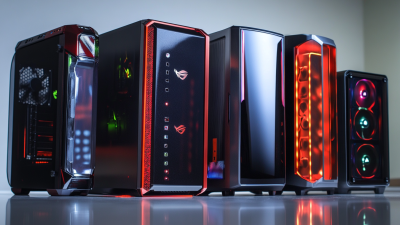
When selecting a computer case, understanding the different types is crucial. Cases come in various forms, including tower, mid-tower, and small form factor (SFF). A recent industry report shows that mid-tower cases are the most popular, accounting for 55% of sales. They provide a balance between size and expandability, making them a safe choice for many users.

Tips for choosing a case include considering airflow and cooling options. A well-ventilated case can significantly affect system performance. It’s also important to look at the compatibility with components. A mismatch can lead to frustrating installation issues. Based on survey data, 35% of users faced compatibility problems when they ignored case dimensions and specifications.

Don't overlook aesthetics either. A visually pleasing case can enhance your setup. However, functionality should remain a priority. Remember, some cases might look great but lack essential features. Always read reviews and gather insights before finalizing your choice. Balancing design with practicality can be challenging, but it is necessary for a satisfying build experience.

Assessing Size and Compatibility with Components

When selecting a computer case, size and compatibility are crucial. A case that doesn't fit your components is a common mistake. It's essential to measure your graphics card and motherboard. Different cases accommodate various sizes. Pay attention to the specifications.

Consider the airflow and cooling. Cases with poor ventilation lead to overheating. Look for cases with ample fan spots and good airflow design. It's a detail many overlook, yet it can significantly affect performance.

Tips: Always check compatibility guides online. They can save you time and money. Remember the power supply space. A cramped area can disrupt airflow and make upgrades difficult. Don't rush your decision. Taking time to reflect on your choices can lead to a better outcome.

Evaluating Cooling Options and Airflow Design

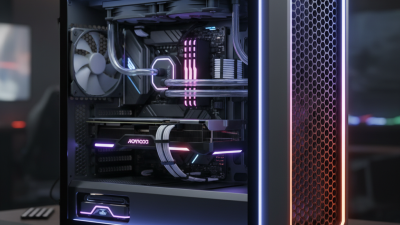
When selecting a computer case, cooling options are crucial. Good airflow can prevent overheating. Different designs can affect performance significantly. Look for cases with intake and exhaust fans. Mesh panels can boost air circulation. They allow more airflow compared to solid panel cases.

Consider the placement of your components. A cluttered setup can restrict airflow. Ensure your GPU and CPU have sufficient breathing room. Cables can obstruct fans and airflow. Use cable management features in the case. This might take time but it's worth it.

Evaluate the compatibility with cooling systems. Liquid cooling setups require space for radiators. Some cases cannot accommodate these systems well. It's easy to overlook this need. Take your time to measure and review. Proper cooling ensures longevity for your components.

The Importance of Aesthetic and Functional Features

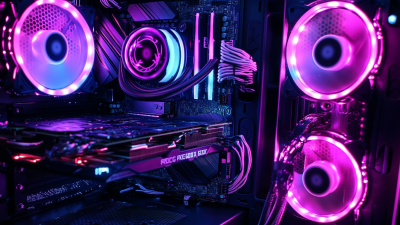
When selecting a computer case, aesthetic and functional features play vital roles. A case should reflect your style. Choose colors and designs that resonate with your personality. Consider the overall theme of your setup. A well-coordinated look enhances the visual appeal of your workspace. However, be cautious; a case that is overly flashy may clash with your interior decor.

Functionality is just as crucial. Look for cases with good airflow. Heat management is essential for performance. Cable management options can make your setup neater. It’s important to choose a case that provides ease of access. Some designs can complicate upgrades. Reflect on your specific needs before making a decision. A case that looks fantastic might not suit your practical requirements.

Ultimately, balance aesthetics with functionality. Take time to research different options. Read reviews and gather opinions. Sometimes, the most popular styles aren't the best for your setup. A careful selection process will pay off in the long run. Your computer case is both a visual centerpiece and a functional component. Make it count.

Top Factors in Choosing the Best Computer Cases