Top Mounted Monitor Buying Guide for Global Buyers
Buying a Mounted Monitor for global use requires more than checking screen size and resolution.
The mounting method affects safety, comfort, cable management, and long-term maintenance.
A suitable model should match the display’s weight, VESA pattern, viewing distance, and working environment.
It must also fit the buyer’s power standards, connector needs, and service expectations.
Dr. Alan Hedge, a respected workplace ergonomics researcher, said, “The monitor should fit the user, not force the user to fit the monitor.”
That principle remains practical when comparing wall-mounted, ceiling-mounted, desktop-mounted, and vehicle-mounted designs.
A 27-inch office display may need a height-adjustable arm.
A factory model may require sealed housing, brighter output, and stronger vibration resistance.
A hospital installation may prioritize cleanable surfaces and reliable cable routing.
Small details matter.
This guide examines the decisions behind a dependable Mounted Monitor purchase.
It considers ergonomic positioning, structural load limits, touch performance, brightness, ports, energy use, warranty coverage, and regional support.
Buyers should request technical drawings before placing large orders.
Product photos can hide weak brackets or awkward connector locations.
I have seen attractive monitors become difficult to service after installation.
That is an easy mistake to make.
No checklist is flawless, either.
Local installers may discover wall materials, heat, or clearance problems that specifications overlook.
Careful testing, documented requirements, and honest supplier communication reduce those surprises for buyers worldwide.
Top-Mounted Monitor: Definition, Purpose, and Main Applications
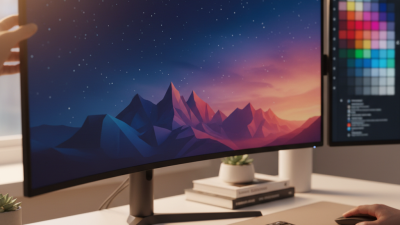
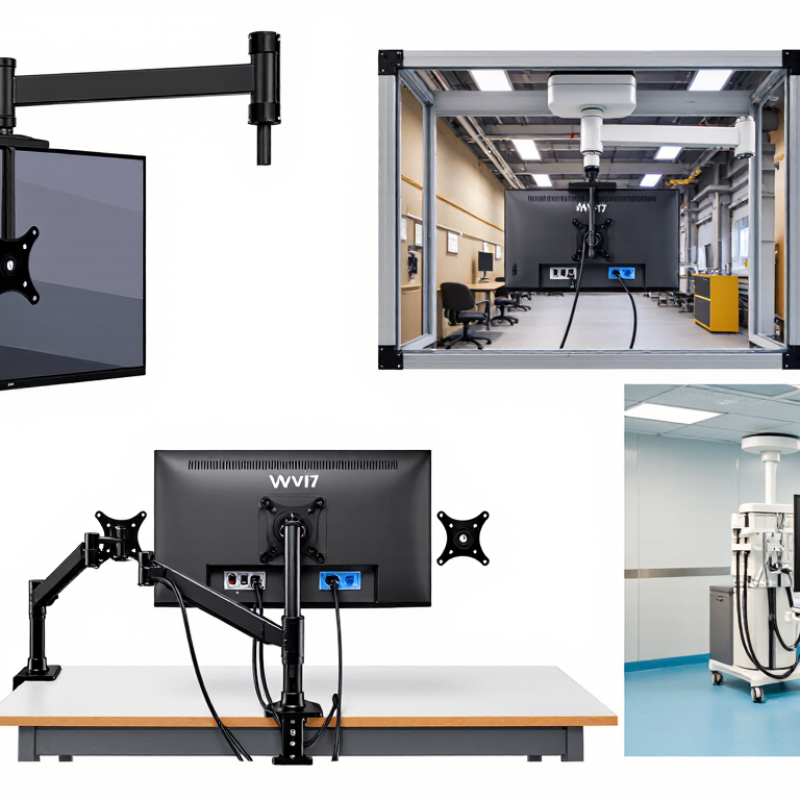
A top-mounted monitor is a display fixed above a desk, workstation, machine, or primary screen. It usually uses a VESA-compatible bracket, ceiling arm, or integrated support. The raised position keeps secondary information visible without occupying valuable desk space. It can show dashboards, production figures, queue numbers, camera feeds, or reference documents.
Its purpose is not simply to create a larger display area. In control rooms, operators can monitor alerts while keeping the main screen focused on detailed tasks. In retail and service counters, staff may display order status or customer instructions above eye level. Medical and laboratory workspaces can use overhead screens for shared readings, although viewing angles and cleaning procedures require careful planning. Fortune Business Insights valued the global computer monitor market at USD 44.67 billion in 2023, indicating strong demand across offices, industry, and specialized environments.
Placement matters more than appearance. The U.S. Occupational Safety and Health Administration recommends positioning the screen top at, or slightly below, eye level. A top-mounted unit may violate that principle if installed too high. That mistake is common. Users may tilt their heads upward for hours, especially in control rooms with dense information. Buyers should measure seated eye height, viewing distance, glare, arm reach, and cable paths before ordering. The mount must also support the monitor’s weight and allow stable adjustment. A clean installation can still be ergonomically poor. That deserves a second check.
Display Size, Image Quality, Mounting Design, and Adjustability
A top-mounted monitor should match the operator’s viewing distance and daily workload. For desk use, a 24- to 27-inch display often balances visibility and workspace. Larger screens can improve multitasking, but they may force wider head movement. Measure the available width before ordering. A bright panel is not always better. In a sunlit room, 300 to 400 nits may improve readability, while excessive brightness can cause eye fatigue indoors. Choose accurate color and stable viewing angles for design, inspection, or shared work.
Image quality depends on more than resolution. Full HD suits basic office tasks, while higher resolutions make small text and detailed drawings sharper. Check pixel density, contrast, refresh performance, and anti-glare treatment together. I have found that a matte surface helps under overhead lighting, although it can slightly soften image clarity. That trade-off deserves a real test. It is not perfect.
Mounting design affects safety and service life. A rigid top mount should support the monitor’s weight without visible flexing. Confirm the attachment dimensions, desk thickness range, and cable clearance before purchase. Metal hardware usually feels more dependable, but poor finishing can scratch a desk edge. Look for tilt, swivel, height, and rotation controls with firm locking points. Tool-free adjustment is convenient, yet loose joints can drift after repeated movement. Test the monitor at seated and standing positions, then check whether cables remain relaxed rather than sharply bent.
Top-Mounted Monitor Buying Guide
Display size, image quality, mounting design, and adjustability are key factors when selecting a monitor for a top-mounted setup.
Image Quality Comparison
The chart shows calculated pixel density in pixels per inch (PPI) for common monitor formats. Higher PPI generally provides sharper text and finer image detail, while screen size and resolution should be considered together.
- 24-inch Full HD: A practical choice for general office work and limited desk space.
- 27-inch QHD: A balanced option for productivity, design, and multitasking.
- 32-inch 4K UHD: High pixel density for detailed content and larger viewing areas.
- 34-inch UltraWide QHD: Broad horizontal workspace with a similar density to a 27-inch QHD display.
For a top-mounted installation, confirm the monitor’s VESA mounting pattern, load capacity, cable clearance, tilt range, height adjustment, and swivel range before purchase.
Global Buying Factors: Standards, Suppliers, Costs, and After-Sales Support
Top Mounted Monitor Buying Guide for Global Buyers
Global Buying Factors: Standards, Suppliers, Costs, and After-Sales Support
Top-mounted monitors need more than attractive specifications. IEC 62368-1 supports equipment safety, while ISO 9241-5 addresses ergonomic workstation design. Confirm certification for the destination market, not only the manufacturing country. Check voltage range, plug type, electromagnetic compatibility, and mounting-hole dimensions. IDC’s Worldwide Quarterly PC Monitor Tracker reported 125.3 million monitor shipments in 2023, a 6.4% annual decline. This pressure can encourage aggressive pricing, but cheap hardware may hide weaker brackets, panels, or documentation.
I have found supplier audits more useful than catalogue promises. Request production samples, defect-rate records, burn-in procedures, and spare-part availability. A written warranty should define response time, replacement conditions, and local repair responsibility. After-sales support matters when a monitor is fixed above a desk; removing it may require two technicians and a lift. Compare landed cost, including freight, duties, installation, replacement units, and currency movement. The World Bank’s Logistics Performance Index 2023 shows major differences in customs efficiency and delivery reliability across markets. Plan accordingly.
Tips
Ask for a compliance file and a mounting-load test. Negotiate spare panels and cables before shipment. Keep one sample for independent inspection. My own buying error was focusing on unit price first. It saved money briefly, then created installation delays. That lesson still needs refinement. Supplier claims require evidence.