What Are the Top Types of Gaming PC Cases?
Choosing among the top types of Gaming PC Cases is more than a matter of appearance. The right enclosure shapes airflow, noise, upgrade space, cable management, and daily usability. A beautiful case can still disappoint when its front panel blocks fresh air or its fans create a constant hum.
Steve Burke, founder of Gamers Nexus, has often emphasized that “cases are one of the most important components in a PC build.” That view remains practical. A compact Mini-ITX case may suit a small desk, but it demands careful component selection. A Mid-Tower case offers a more forgiving balance, with room for large graphics cards, tower coolers, and additional storage. Full-Tower designs provide exceptional expansion, although their size may be unnecessary for ordinary gaming systems.
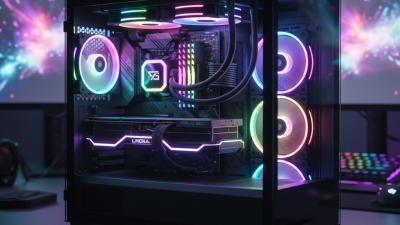
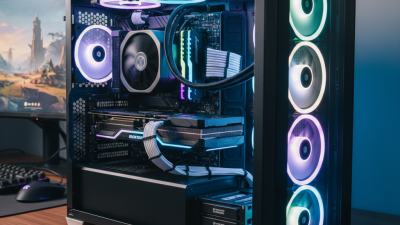
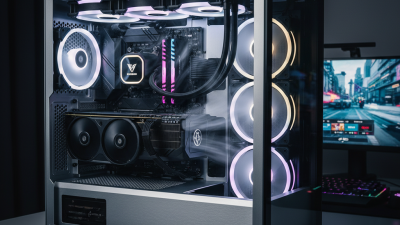
The details matter. Look for dust filters that slide out easily, rubber cable-routing channels, and enough clearance behind the motherboard tray. A mesh front can improve cooling, while tempered glass showcases lighting and neatly arranged hardware. Neither choice is perfect. Mesh may collect dust faster, and glass can restrict ventilation.
Some cases also support vertical graphics-card mounting, removable drive cages, or radiator installations above the motherboard. These features can simplify ambitious builds, but they may increase cost and reduce internal space. This guide compares the main Gaming PC Cases categories through thermal performance, acoustics, compatibility, maintenance, and value. It also recognizes a common mistake: buying for visual impact before checking dimensions. A case should fit your components first. Style comes later.
Full-Tower Gaming PC Cases for Maximum Space and Expandability
Full-tower gaming PC cases suit builders who value space, cooling, and future upgrades. The 2024 Global Games Market Report estimated PC gaming revenue at about $37 billion worldwide. That scale reflects continued demand for powerful desktop systems.
A full tower can hold several graphics cards, large radiators, multiple storage drives, and taller air coolers. It also leaves room around each component, helping airflow move through the chassis. IDC’s 2024 PC market data shows that performance-focused desktop demand remains important, despite broader shipment pressure. Still, bigger is not automatically better. A poorly planned case can waste desk space and collect dust near empty drive bays.
I once underestimated cable length. That mistake made maintenance frustrating. Measure the motherboard, cooler, power supply, and graphics card before buying. Check radiator thickness, front-panel clearance, and the number of included fans. The 2024 ATX design guidance also encourages better airflow planning, especially around high-power processors. In practice, a full tower may reduce thermal stress, but only when intake and exhaust paths remain clear.
Tips:
Leave several centimeters behind the motherboard tray for cables. Use removable filters near every intake. Choose a case with tool-free panels if you upgrade often. Do not fill every fan slot without checking noise levels. More airflow can become more noise.
Mid-Tower Cases for Balanced Gaming Builds
What Are the Top Types of Gaming PC Cases?
Mid-Tower Cases for Balanced Gaming Builds
Mid-tower cases remain a practical choice for most gaming computers. They usually support standard ATX or micro-ATX motherboards. Their internal space can fit a powerful graphics card, multiple storage drives, and several cooling fans. This balance matters when a compact case feels cramped, but a full-tower case seems excessive.
In my own builds, I check graphics card clearance before choosing any case. A few extra centimeters can prevent difficult installation. I also measure the power supply and radiator space carefully. My first measurement was wrong once, and the front radiator blocked the graphics card. It was an annoying mistake.
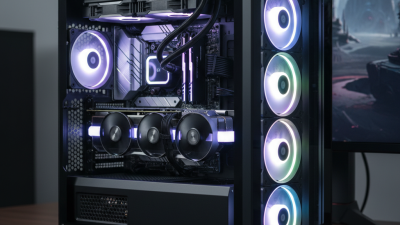
Good airflow depends on more than fan quantity. A mesh front panel can supply steady intake air. Rear and top exhaust fans help release heat around the processor. Dust filters reduce maintenance, although they can restrict airflow when heavily covered. That detail is easy to overlook.
Cable-routing space behind the motherboard tray improves both appearance and cooling. Tool-free panels can make upgrades less frustrating. However, some panels feel fragile, so physical strength should not be assumed. A quiet mid-tower also benefits from rubber mounts and controlled fan speeds. Leave room for future upgrades. A balanced build still needs breathing space.
Mini-Tower Cases for Compact Gaming Systems
Mini-tower cases suit gamers who want a smaller footprint without abandoning desktop performance. Newzoo’s 2024 Global Games Market Report estimates 3.42 billion players worldwide. That expanding audience increases interest in flexible home setups. Mini-towers usually support Mini-ITX or Micro-ATX boards. They can fit beneath a desk, beside a monitor, or on a narrow shelf. Measure carefully. A few centimeters can decide whether the build works.
According to IDC’s Worldwide Quarterly Device Tracker, global PC shipments reached 262.7 million units in 2024. Compact systems benefit from this broader hardware ecosystem. However, space creates strict limits. Check graphics-card length, power-supply format, and cooler height before buying. A practical mini-tower should allow roughly 300 millimeters of graphics-card clearance and at least two expansion slots. Front ventilation matters too. A fine mesh panel prevents heat from lingering around the graphics card.
Cooling is the difficult compromise. Smaller cases often need two 120-millimeter intake fans and one exhaust fan. Keep cables away from the front airflow path. Many builders overestimate compact cooling. I have seen attractive layouts become noisy after several hours of play. That assumption needs testing. Jon Peddie Research continues to track strong demand for dedicated PC gaming hardware, but smaller cases still require realistic component choices. A compact processor, efficient graphics card, and modular power supply usually create a calmer build.
Small Form Factor Cases for Portable and Space-Saving Setups
Small Form Factor Cases for Portable and Space-Saving Setups
Small form factor cases suit compact desks, dorm rooms, and mobile workstations. Their reduced footprint can free valuable space beside a monitor. A case measuring roughly 30 centimeters wide may still support strong gaming hardware. Portability becomes practical. Yet small does not mean simple. Before choosing one, measure your graphics card, power supply, and cooler carefully. Check desk clearance too.
In a portable setup, internal layout matters as much as volume. A compact case may support a standard graphics card, while another accepts only shorter models. This affects upgrade options and performance planning. I recommend checking the manufacturer’s maximum component lengths, not relying on photos. Use a tape measure. Cable routing deserves attention because crowded wires can restrict airflow. A tight side panel can also press against connectors.
Cooling requires deliberate choices.
An SFF case often needs perforated panels, efficient fans, and a low-profile cooler. Front vents help, but they may admit more dust and sound. Dust filters are useful. During a demanding game, internal temperatures can rise quickly if the intake path is blocked. That trade-off is easy to underestimate. I would also question whether portability is genuinely necessary. A smaller enclosure may save space but increase building difficulty and maintenance time. Do not assume every compact design is quiet. A slightly larger case can provide easier upgrades, cleaner airflow, and fewer compromises.
Open-Frame and Specialized Cases for Unique Gaming Builds
Open-frame PC cases suit gamers who want their hardware visible and easy to reach. Their exposed layout improves access during upgrades, cable adjustments, and cooling tests. In practical use, the open structure can make component temperatures easier to observe. It also allows larger cooling equipment and unusual graphics card positions. However, dust settles quickly on exposed fans and circuit boards. Noise travels freely across a desk. Placement matters.
A specialized case can shape a build around a clear purpose. Wall-mounted designs save floor space and display illuminated components like a technical installation. Test-bench cases support frequent component changes, making troubleshooting faster. Compact vertical cases fit narrow desks, but cable routing may become frustrating. Some designs support horizontal graphics card mounting, which can reduce pressure on expansion slots. Check clearance carefully before buying.
I have found that open-frame builds reward patience. A loose cable can touch a fan. Small mistakes show immediately. They are not ideal for every room, especially dusty bedrooms or shared workspaces. Specialized cases also demand more planning than standard towers. Measure the power supply, radiator, storage drives, and motherboard together. I once underestimated rear cable space, and the side panel refused to close. That failure was useful, although avoidable. A distinctive case should support reliable operation, not only visual drama.