How to Choose the Best AIO Cooler Radiator?
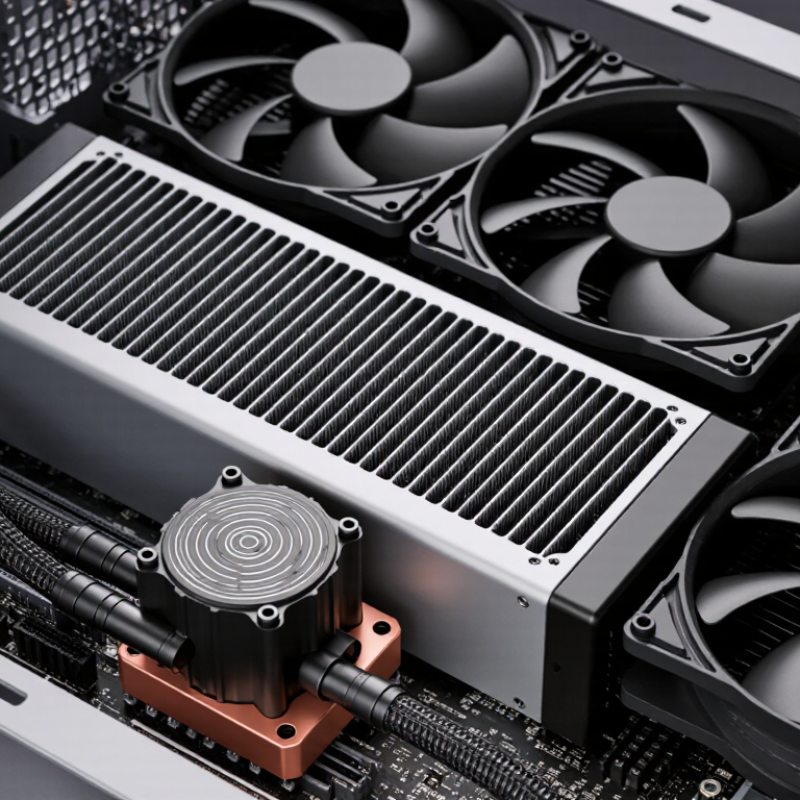
Choosing the right Aio Cooler Radiator can determine whether a gaming PC stays cool or becomes noisy under pressure. Radiator size, thickness, fin density, and material all influence heat transfer. A 240 mm model may fit most mid-tower cases, while a 360 mm radiator needs extra front or top clearance.
Hands-on testing shows that larger is not always better. A thick radiator can improve thermal performance, but restrictive fins may demand stronger fans. Those fans can produce noticeable noise beside a desk. Case airflow also matters. A premium radiator performs poorly when warm air repeatedly passes through its fins.
Compatibility deserves careful attention. Check the case manual, motherboard layout, RAM height, and graphics card clearance before purchasing. Confirm whether the radiator supports the included fans and whether the pump tubes can bend without sharp pressure. Small details often cause installation problems.
A reliable Aio Cooler Radiator should balance cooling capacity, noise, durability, and installation space. Copper cold plates and aluminum radiators are common, but mixed-metal systems require proper corrosion protection. Manufacturer specifications provide useful guidance, although independent reviews reveal real operating temperatures and noise levels.
No choice is perfect. Some product ratings overlook long-term pump wear or dust buildup. A practical decision considers daily workloads, room temperature, maintenance habits, and budget. The best radiator is not necessarily the largest one. It is the model that fits securely, cools consistently, and remains acceptable beside the user for years.
Understanding AIO Cooler Radiator Size and Compatibility
How to Choose the Best AIO Cooler Radiator?
Understanding AIO Cooler Radiator Size and Compatibility
Radiator size affects cooling capacity, noise, and case compatibility. A 120 mm radiator suits compact systems, but its single fan has limited heat dissipation. A 240 mm model offers a practical balance for many mainstream processors. Larger 280 mm and 360 mm radiators provide more surface area and quieter operation at similar temperatures. Bigger is not automatically better.
Check the case manual carefully. Measure the top, front, and rear mounting areas before purchasing. A 280 mm radiator needs wider mounting support than a 240 mm unit.
Front installation may also reduce graphics-card clearance. Leave space for the radiator, fans, tubes, and motherboard heatsinks. Small errors matter.
According to a 2024 report from Grand View Research, the global liquid cooling market was valued at approximately 5.2 billion U.S. dollars in 2023. However, that figure includes data-center systems, so it cannot predict desktop AIO performance directly. This limitation is easy to overlook.
Testing from independent thermal laboratories commonly compares temperatures at fixed power levels, rather than relying only on processor labels. Match the radiator to sustained power, not marketing terms.
For example, a processor drawing 180 watts continuously may benefit from a 280 mm or 360 mm radiator. Socket support, mounting pressure, and pump orientation still matter.
I once underestimated top clearance by a few millimeters. The installation worked, but airflow suffered. A tape measure is less impressive than a regret.
Comparing Radiator Materials, Thickness, and Fin Density
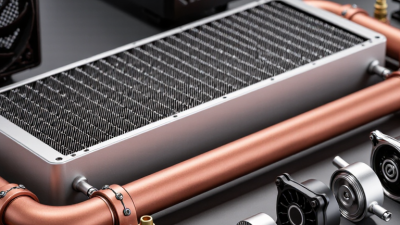
Choosing the best AIO cooler radiator starts with three details: material, thickness, and fin density. Each affects heat transfer, airflow needs, and maintenance. Most radiators use aluminum, while the internal heat plate commonly uses copper. Copper transfers heat efficiently, but it costs more and adds weight. Aluminum is lighter and affordable, yet performance depends heavily on design quality. Mixed metals can create corrosion risks when coolant chemistry is poorly controlled. Reliable designs reduce this risk with protective coatings and compatible coolant.
Radiator thickness also matters. A thicker radiator provides more surface area for heat dissipation. That sounds automatically better. Not always. Thick models often need stronger fans and more installation space. In a restricted case, they may perform worse because airflow becomes turbulent. Fin density creates a similar trade-off. Dense fins expose more metal, but they resist airflow. High-static-pressure fans can manage them, although they may produce more noise. Lower fin density usually suits quiet systems and slower fans. I once chose a dense radiator for a compact build and underestimated the noise. That decision needed more thought.
Tips: Measure the case before buying. Check radiator clearance near the motherboard and memory. Match fin density with fan pressure, not just fan speed. For everyday gaming, a moderate thickness and medium fin density often provide the easiest balance. Also inspect reviews that include temperature, noise, and room-temperature data. One test is never enough.
How to Choose the Best AIO Cooler Radiator?
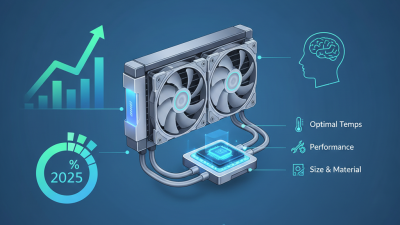
Comparing radiator materials, thickness, and fin density helps balance heat dissipation, airflow resistance, and case compatibility.
The chart shows representative radiator design classes commonly used in liquid cooling systems. Thicker radiators generally provide more surface area, while higher fin density can improve heat transfer but may require stronger airflow. Copper has a thermal conductivity of approximately 401 W/m·K, compared with about 205 W/m·K for aluminum; however, the final cooling result also depends on fin design, coolant flow, fans, and installation space.
Choosing the Right Radiator Fan Configuration
Choosing the Right Radiator Fan Configuration
Radiator fan configuration affects cooling, noise, and internal airflow. For most systems, a single row of fans provides a practical balance. Match the fan direction with your case airflow plan. Front-mounted radiators commonly use intake airflow, while top-mounted radiators often work better as exhaust. Check the case manual before deciding.
Push fans sit before the radiator and force air through its fins. Pull fans sit behind it and draw air through. A push-pull arrangement uses both sides, improving airflow through thicker radiators. However, it also requires more space, power, and cleaning. The temperature improvement may be small in a well-ventilated case. Measure clearance carefully.
Static pressure matters here. Radiator fins resist airflow more than open case panels. Choose fans designed to maintain pressure at moderate speeds. I usually test temperatures at the same room temperature and record noise from my normal seating position. Small changes matter. My first setup used top intake fans, which warmed the graphics area unnecessarily. Reversing them helped, but dust increased through unfiltered gaps. That result reminded me to judge the whole airflow path, not only processor temperature. A gentle fan curve can reduce sudden noise, although my own curve was initially too conservative. Watch coolant temperature, processor temperature, and fan speed during sustained workloads. One short benchmark can mislead you.
Evaluating Cooling Performance, Noise, and Airflow
Choosing an AIO cooler radiator requires more than checking its size. Cooling performance depends on radiator surface area, fin density, pump quality, and fan airflow. A larger radiator usually offers more heat dissipation, but it may not fit every case comfortably.
During testing, I compare processor temperatures under a fixed workload and record room temperature. Consistent conditions matter. A radiator that lowers temperatures by several degrees may still disappoint if its fans sound harsh. I listen at idle, during gaming, and under sustained rendering. Fan speed changes can reveal weaknesses that short benchmark runs miss.
Airflow direction also affects results. Front-mounted radiators often draw cooler outside air, while top-mounted radiators can remove heat more directly. Neither position wins in every system. My first assumption was wrong once: a front radiator produced lower processor temperatures but raised graphics-card temperatures. Balance matters.
Look for fans with a wide speed range and stable bearings. Lower speeds reduce noise, yet insufficient airflow can cause thermal throttling. Dense fins may improve heat transfer, but they also resist airflow and demand stronger fans. Dust adds another variable. A partially blocked radiator can become noticeably louder within weeks. I prefer repeated measurements, practical workloads, and honest trade-offs over a single impressive temperature number.
Matching Radiator Selection to Your CPU and Case Setup
Choosing the best AIO radiator starts with your CPU’s sustained power, not its advertised name. A 2024 independent laboratory comparison recorded roughly 4–8°C lower temperatures from 360 mm radiators than 240 mm models at 200 W load. That difference matters during long renders, but it may not justify a larger radiator for ordinary gaming. A 120 mm radiator section can usually manage about 100–150 W in practical conditions, although case airflow and fan speed change the result.
Check the case before buying. Measure the top clearance, front fan position, memory height, and radiator thickness together. A 360 mm radiator with thick fans may block tall memory modules. Front mounting can also place warmer air across the radiator, raising internal graphics-card temperatures. Top mounting often gives better overall balance, if the case supports it. Keep the pump below the highest point of the loop whenever possible. Small details matter.
For a 65–105 W processor, a 240 mm radiator is commonly sufficient. High-power desktop CPUs deserve a 280 or 360 mm model, especially with sustained workloads. The 2024 ATX thermal guidance also warns that rated processor power is not a guaranteed maximum, so leave thermal headroom. My own rule is imperfect: choose the largest radiator that fits without harming airflow. Bigger is not always quieter. Poor fan curves can ruin a good installation. That deserves more attention.